

Cost Explorer
Introduction
Section titled “Introduction”Cost Explorer is a service provided by Amazon Web Services (AWS) that enables you to visualize, analyze, and manage your AWS spending and usage. Cost Explorer offers options to filter and group data by dimensions such as service, region, instance type, and more. With Cost Explorer, you can forecast costs, track budget progress, and set up alerts to receive notifications when spending exceeds predefined thresholds.
LocalStack allows you to use the Cost Explorer APIs in your local environment to create and manage cost category definition, cost anomaly monitors & subscriptions. The supported APIs are available on our API Coverage section, which provides information on the extent of Cost Explorer’s integration with LocalStack.
Getting started
Section titled “Getting started”This guide is designed for users new to Cost Explorer and assumes basic knowledge of the AWS CLI and our lstk aws command.
Start your LocalStack container using your preferred method. We will demonstrate how to mock the Cost Explorer APIs with the AWS CLI.
Create a Cost Category definition
Section titled “Create a Cost Category definition”You can create a Cost Category definition using the CreateCostCategoryDefinition) API.
The following example creates a Cost Category definition using an empty rule condition of type “REGULAR”:
lstk aws ce create-cost-category-definition --name test \ --rule-version "CostCategoryExpression.v1" --rules '[{"Value": "test", "Rule": {}, "Type": "REGULAR"}]'{ "CostCategoryArn": "arn:aws:ce::000000000000:costcategory/test"}You can describe the Cost Category definition using the DescribeCostCategoryDefinition API.
Run the following command:
lstk aws ce describe-cost-category-definition \ --cost-category-arn arn:aws:ce::000000000000:costcategory/test{ "CostCategory": { "CostCategoryArn": "arn:aws:ce::000000000000:costcategory/test", "Name": "test", "RuleVersion": "CostCategoryExpression.v1", "Rules": [ { "Value": "test", "Rule": {}, "Type": "REGULAR" } ] }}Create a cost anomaly subscription
Section titled “Create a cost anomaly subscription”You can add an alert subscription to a cost anomaly detection monitor to define subscribers using the CreateAnomalySubscription API.
The following example creates a cost anomaly subscription:
lstk aws ce create-anomaly-subscription --anomaly-subscription '{ "AccountId": "12345", "SubscriptionName": "sub1", "Frequency": "DAILY", "MonitorArnList": [], "Subscribers": [], "Threshold": 111}'{ "SubscriptionArn": "arn:aws:ce::000000000000:anomalysubscription/70644961"}You can retrieve the cost anomaly subscriptions using the GetAnomalySubscriptions API.
Run the following command:
lstk aws ce get-anomaly-subscriptions{ "AnomalySubscriptions": [ { "SubscriptionArn": "arn:aws:ce::000000000000:anomalysubscription/70644961", "AccountId": "12345", "MonitorArnList": [], "Subscribers": [], "Threshold": 111.0, "Frequency": "DAILY", "SubscriptionName": "sub1" } ]}Create a cost anomaly monitor
Section titled “Create a cost anomaly monitor”You can create a new cost anomaly detection subscription with the requested type and monitor specification using the CreateAnomalyMonitor API.
The following example creates a cost anomaly monitor:
lstk aws ce create-anomaly-monitor --anomaly-monitor '{ "MonitorName": "mon5463", "MonitorType": "DIMENSIONAL"}'{ "MonitorArn": "arn:aws:ce::000000000000:anomalymonitor/22570ff3"}You can retrieve the cost anomaly monitors using the GetAnomalyMonitors API.
Run the following command:
lstk aws ce get-anomaly-monitors{ "AnomalyMonitors": [ { "MonitorArn": "arn:aws:ce::000000000000:anomalymonitor/22570ff3", "MonitorName": "mon5463", "MonitorType": "DIMENSIONAL" } ]}Resource Browser
Section titled “Resource Browser”The LocalStack Web Application provides a Resource Browser for managing cost category definitions for the Cost Explorer service. You can access the Resource Browser by opening the LocalStack Web Application in your browser, navigating to the Resources section, and then clicking on Cost Explorer under the Cloud Financial Management section.
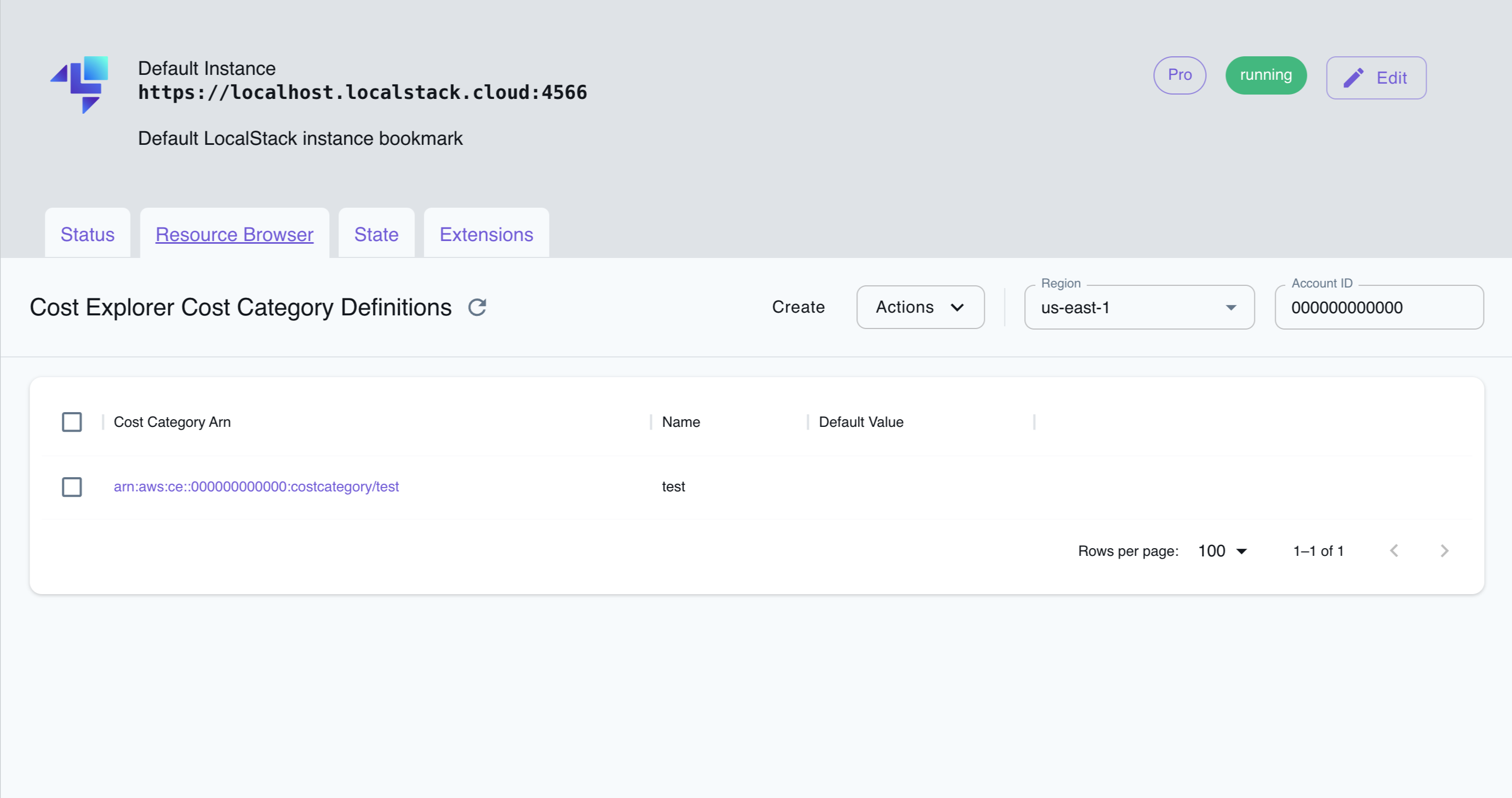
The Resource Browser allows you to perform the following actions:
- Create Cost Category definition: Create a new Cost Category definition by clicking on the Create button and providing the required details.
- View Cost Category definition: View the details of a Cost Category definition by clicking on the Cost Category definition.
- Delete Cost Category definition: Delete a Cost Category definition by selecting on the Cost Category definition, and then clicking on the Actions button followed by Remove Selected.
Current Limitations
Section titled “Current Limitations”LocalStack’s Cost Explorer implementation cannot programmatically query your cost and usage data, or provide aggregated data such as total monthly costs or total daily usage. However, you can use the integrations to mock the Cost Explorer APIs and test your workflow locally.
API Coverage
Section titled “API Coverage”17 of 47 operations implemented
Available from the Ultimate plan. Licensing details
Find an API
Search the full operation list, then sort the table to compare current support.
Loading operations…
| Verified on Kubernetes | ||
|---|---|---|
| Loading operations… | ||
Complete static API list All 47 operations and their current support status
| Operation | Status |
|---|---|
| CreateAnomalyMonitor | Implemented |
| CreateAnomalySubscription | Implemented |
| CreateCostCategoryDefinition | Implemented |
| DeleteAnomalyMonitor | Implemented |
| DeleteAnomalySubscription | Implemented |
| DeleteCostCategoryDefinition | Implemented |
| DescribeCostCategoryDefinition | Implemented |
| GetAnomalies | Not implemented |
| GetAnomalyMonitors | Implemented |
| GetAnomalySubscriptions | Implemented |
| GetApproximateUsageRecords | Not implemented |
| GetCommitmentPurchaseAnalysis | Not implemented |
| GetCostAndUsage | Implemented |
| GetCostAndUsageComparisons | Not implemented |
| GetCostAndUsageWithResources | Not implemented |
| GetCostCategories | Not implemented |
| GetCostComparisonDrivers | Not implemented |
| GetCostForecast | Not implemented |
| GetDimensionValues | Not implemented |
| GetReservationCoverage | Not implemented |
| GetReservationPurchaseRecommendation | Not implemented |
| GetReservationUtilization | Not implemented |
| GetRightsizingRecommendation | Not implemented |
| GetSavingsPlanPurchaseRecommendationDetails | Not implemented |
| GetSavingsPlansCoverage | Not implemented |
| GetSavingsPlansPurchaseRecommendation | Not implemented |
| GetSavingsPlansUtilization | Not implemented |
| GetSavingsPlansUtilizationDetails | Not implemented |
| GetTags | Not implemented |
| GetUsageForecast | Not implemented |
| ListCommitmentPurchaseAnalyses | Not implemented |
| ListCostAllocationTagBackfillHistory | Not implemented |
| ListCostAllocationTags | Not implemented |
| ListCostCategoryDefinitions | Implemented |
| ListCostCategoryResourceAssociations | Not implemented |
| ListSavingsPlansPurchaseRecommendationGeneration | Not implemented |
| ListTagsForResource | Implemented |
| ProvideAnomalyFeedback | Not implemented |
| StartCommitmentPurchaseAnalysis | Not implemented |
| StartCostAllocationTagBackfill | Not implemented |
| StartSavingsPlansPurchaseRecommendationGeneration | Not implemented |
| TagResource | Implemented |
| UntagResource | Implemented |
| UpdateAnomalyMonitor | Implemented |
| UpdateAnomalySubscription | Implemented |
| UpdateCostAllocationTagsStatus | Not implemented |
| UpdateCostCategoryDefinition | Implemented |